Say Goodbye to Cable Chaos: How a Portable Multiport Hub Simplifies Your Digital Setup
Share
Say Goodbye to Cable Chaos: Simplify Your Digital Setup
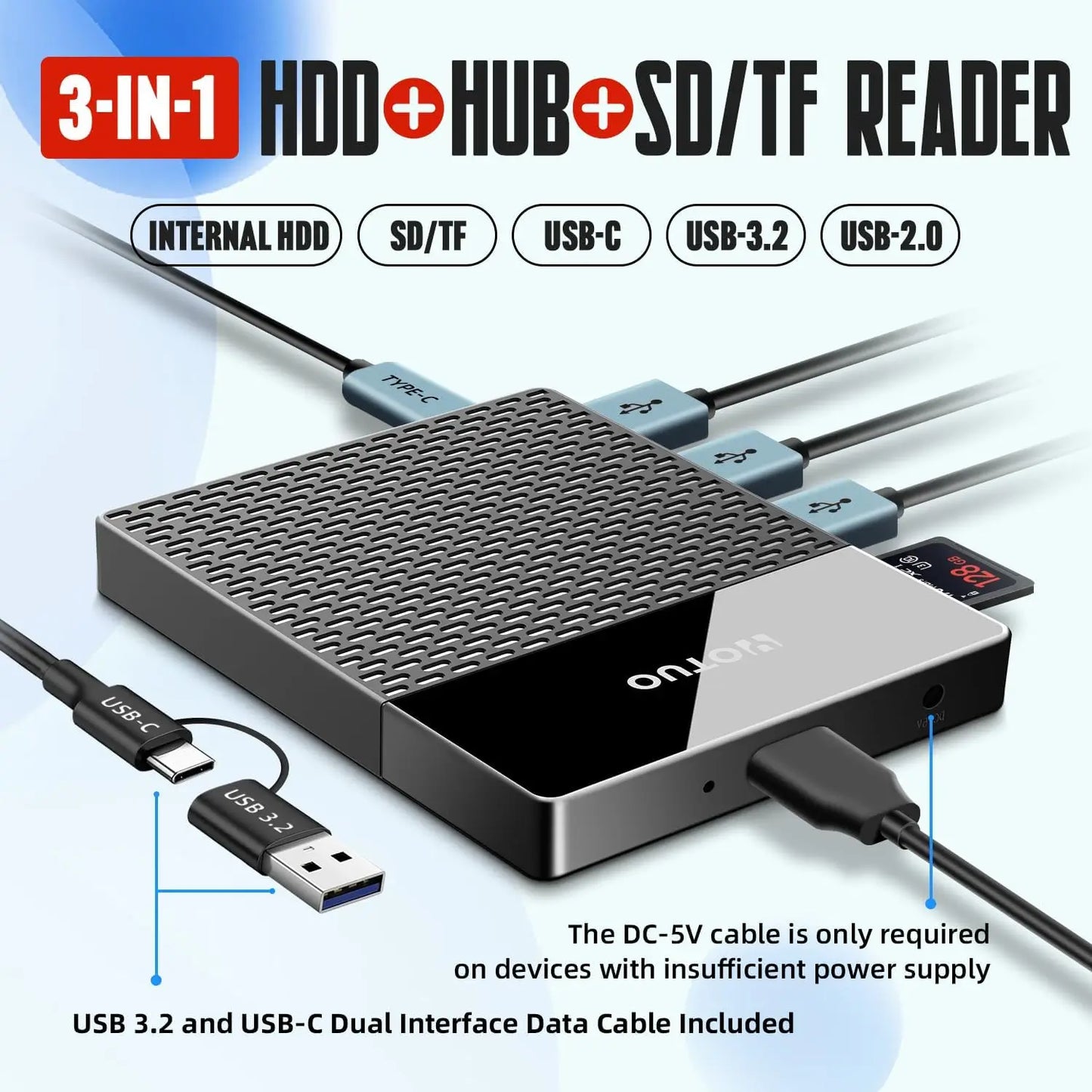
Ever feel like your digital life is bursting at the seams? Between your laptop, phone, tablet, camera gear, and external drives, it can feel like wrestling an octopus just to get work done at a café. Enter the portable multiport hub—a compact tool designed to reduce cable clutter and expand the connectivity of modern devices.
Whether you're working from a coffee shop or simply decluttering your desk, these small hubs can connect multiple accessories through a single port on your laptop or tablet. Tiny device, big convenience.
Ready to see how one compact accessory can streamline your workflow? Let’s explore what portable multiport hubs really offer—and what to expect from them in everyday use.
A Practical Solution for Modern Devices
If you’ve ever searched your bag for the right adapter or realized your laptop doesn’t have the port you need, you already understand the value of a multiport hub. Many newer laptops—especially thin USB-C models—rely on hubs to connect displays, storage, wired internet, and more.
Most portable hubs include a mix of:
-
USB-A or USB-C data ports
-
HDMI or DisplayPort video output
-
SD and microSD card readers
-
Ethernet (on some models)
-
USB-C pass-through charging
The exact features vary by brand and price, but the goal is the same: expand one port into several useful connections without carrying multiple adapters.
From Cable Clutter to Streamlined Workflows
Imagine sitting at a small café table. Instead of juggling separate adapters for your monitor, storage drive, and charger, everything connects through a single hub attached to your laptop.
This doesn’t magically boost productivity—but it reduces friction. Fewer cables to manage, fewer forgotten adapters, and faster setup when you move between locations. For remote workers, photographers, students, and travelers, that simplicity adds real day-to-day value.
Key Features That Matter Most
Here are the features people typically rely on when choosing a portable hub:
Multiple USB ports
Connect flash drives, keyboards, mice, or external storage without unplugging devices.
SD and microSD card readers
Useful for photographers, videographers, and creators transferring media from cameras or drones.
Video output (HDMI or DisplayPort)
Lets compatible laptops connect to external monitors, TVs, or projectors for work or entertainment.
Ethernet connection (select models)
Provides a stable wired internet option when Wi-Fi is slow or unreliable.
Pass-through charging
Allows a USB-C laptop or tablet to keep charging while the hub is in use.
(Charging speed depends on the hub’s supported wattage and your power adapter.)
Compact, travel-friendly size
Most hubs are lightweight and small enough for a pocket or laptop sleeve.
Durable construction
Aluminum housings are common on mid- to high-quality hubs for heat management and durability.
Real-World Uses (and Realistic Expectations)
Portable hubs shine in everyday situations:
-
Connecting a laptop to an external monitor at a hotel or coworking space
-
Importing photos from an SD card while traveling
-
Using wired internet for stable video calls
-
Keeping peripherals connected at a minimalist desk setup
However, it’s important to keep expectations realistic:
-
Most hubs require a host device (like a laptop or tablet) to function.
-
They typically don’t operate as standalone storage systems.
-
Power-sharing or device-to-device charging features are not common on standard hubs.
Understanding these limits helps you choose the right product—and avoid disappointment.
Choosing the Right Hub for You
Not all hubs are equal. When comparing options, consider:
Device compatibility
Make sure the hub supports your laptop’s USB-C or Thunderbolt standard and operating system.
Power delivery rating
Choose a hub that supports enough wattage to properly charge your laptop.
Port selection
Pick the mix of USB, video, card reader, and Ethernet ports that match how you actually work.
Build quality and heat management
Metal housings and reputable brands often last longer during travel.
Price range
Basic hubs may cost around $20–$40, while premium Thunderbolt models can exceed $100 depending on speed and features.
A Small Upgrade with Everyday Impact
A portable multiport hub won’t transform your life overnight—but it can remove small daily frustrations. And sometimes, that’s exactly the kind of upgrade that matters most.
For travelers, students, creators, and remote workers, having the right ports available in one compact device means:
-
Faster setup
-
Fewer forgotten adapters
-
Cleaner, more organized workspaces
Simple convenience—done well.
If you’re looking to reduce cable clutter and make modern devices more flexible, a reliable portable hub is a practical place to start. Your future self might not call it revolutionary… but they’ll definitely appreciate the smoother setup next time you open your laptop on the go.